

Callr Actions: AI with no API key, an assistant that writes your scenarios, and secrets
Callr Actions now runs AI with no API key needed: no account at an AI provider, nothing to set up. Callr runs the model and bills the tokens per model. You can also describe a scenario and let the AI write it, keep your keys and tokens in secrets, and start from 35 templates that use all of it.
Describe your scenario, the AI writes it
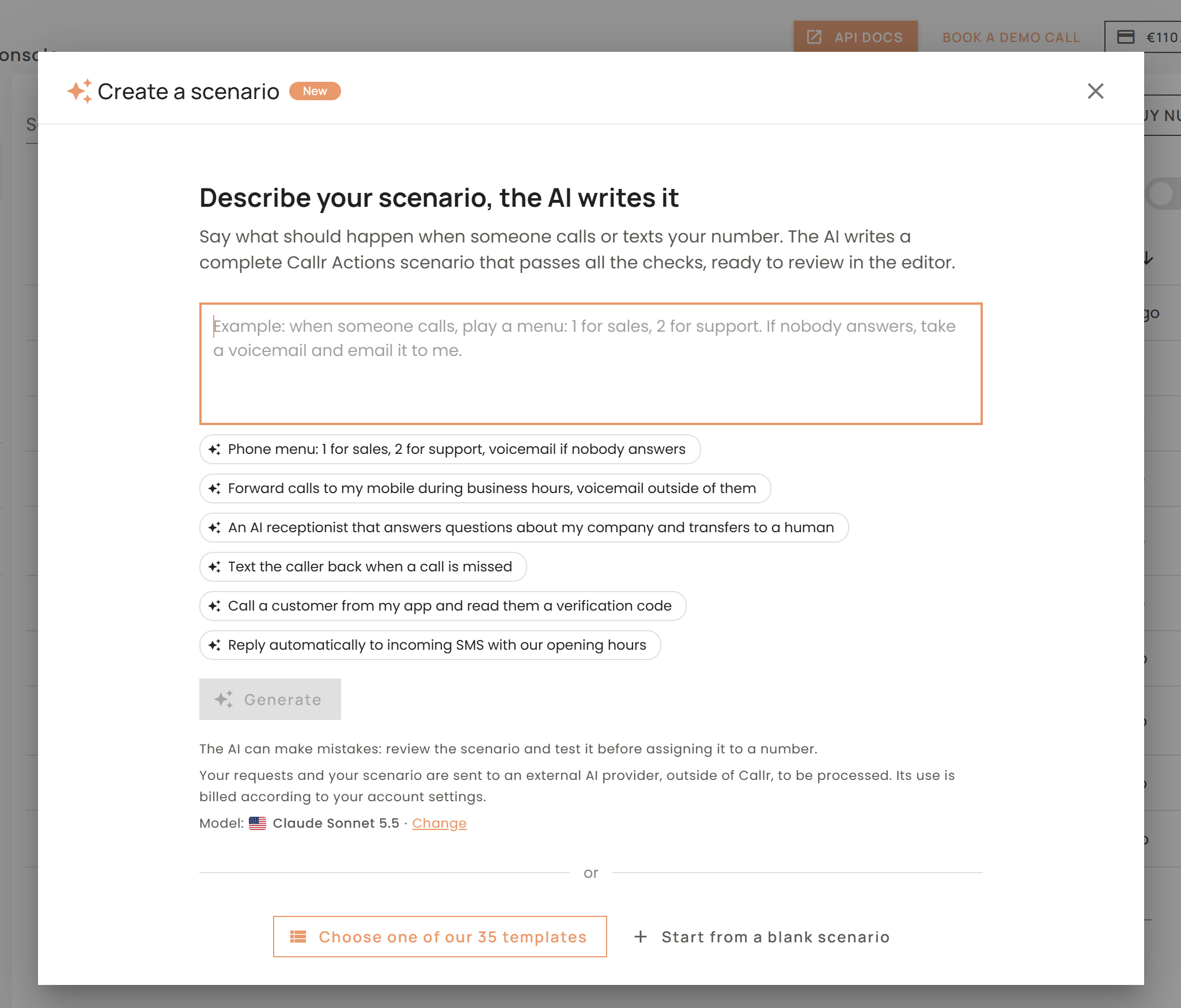
- Create a scenario in plain words. In the Console, Actions > Create opens on a text box: say what should happen when someone calls or texts your number. The AI writes a complete scenario that passes all the checks, ready to review in the editor. You can also start from the home page.
- Change a scenario. The AI panel of the editor changes the open scenario from your request. The code waits under a blurred layer while the AI works, then you Apply the proposal (one undoable edit) or Discard it.
- Fix with AI. In the Checks panel, Fix with AI hands the errors and warnings to the AI, which corrects them and moves the old action versions to the latest ones.
- Your model. The AI uses the default AI model of your account (see below). The AI can make mistakes: review the scenario and test it before assigning it to a number.
AI actions with no API key needed
llm@v1(new). Ask an AI model: a question, a classification, a summary, a JSON object. Withoutmodel, the default model of your account answers;model:picks another one (claude-sonnet-5-5,gpt-6.1-terra,mistral-large-latest...). WithjsonSchema, the reply is a JSON value of that shape, parsed inresult.json. The schema is applied strictly: every object needsadditionalProperties: falseand all its properties inrequired.anthropic@v1(new). The Anthropic Messages API, body sent as is.openai@v4. Same asopenai@v3, except thatsecretis optional: without it,chat/completionsandresponsesrun on Callr.voicebot@v3. Same asvoicebot@v2, except thatengine.authandengine.modelare optional.voicebotruns OpenAI models only: withoutengine.model, the default model of your account answers when it is an OpenAI one, elsegpt-6.1-terra.- Your own API key (optional).
openai@v4,anthropic@v1andvoicebot@v3still accept your own key (secret,engine.auth): your provider then bills the tokens on your account.llm@v1is always billed by Callr. - Prices. The tokens are billed per model, with an input and an output price per million tokens, shown in the AI section of Billing > Pricing.
- action: llm@v1
  params:
    system: Classify what the caller wants.
    prompt: ${{ $question.text }}
    jsonSchema:
      type: object
      additionalProperties: false
      required: [intent]
      properties:
        intent:
          type: string
          enum: [order_status, cancel_order, other]
  result: $intent

- if: $intent.ok && $intent.json?.intent === 'order_status'
  then:
    - goto:
        label: orderStatus
Older versions keep working. To move to the latest ones: openai@v3 becomes openai@v4 (keep your secret, or remove it to have Callr bill the tokens), voicebot@v2 becomes voicebot@v3.
Choose your default AI model
In Account > Preferences, Default AI model sets the model used by the AI assistant and by the AI actions when you give them no key: Anthropic (Claude Haiku, Sonnet, Opus), OpenAI (GPT-6 family) or Mistral AI. Mistral models are processed in the European Union only.
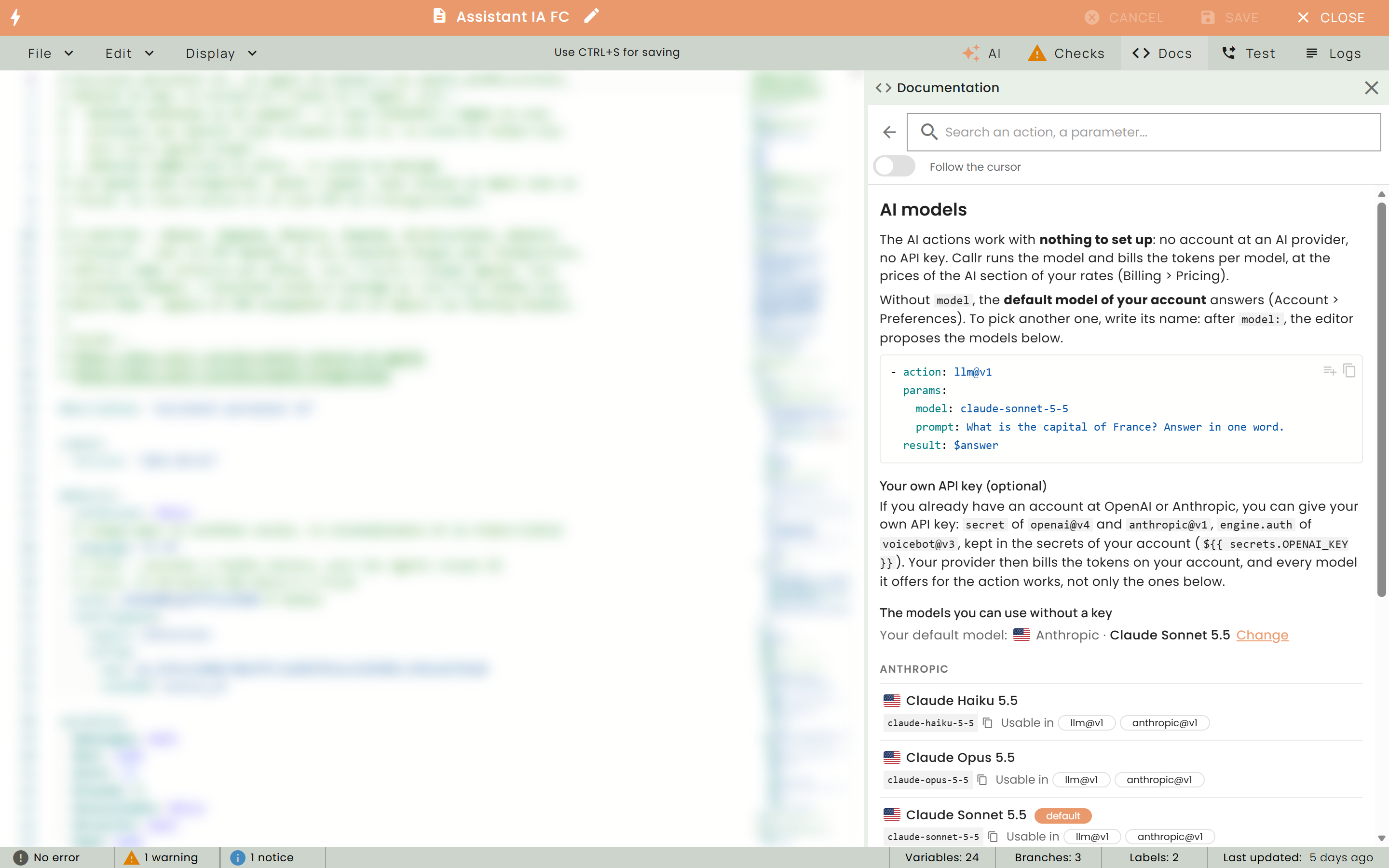
In the editor, the Docs panel has a new AI models page: the models you can use without a key, per action, with their names to copy. After model:, the editor completes the model names, and the checks report a model you cannot use.
Secrets
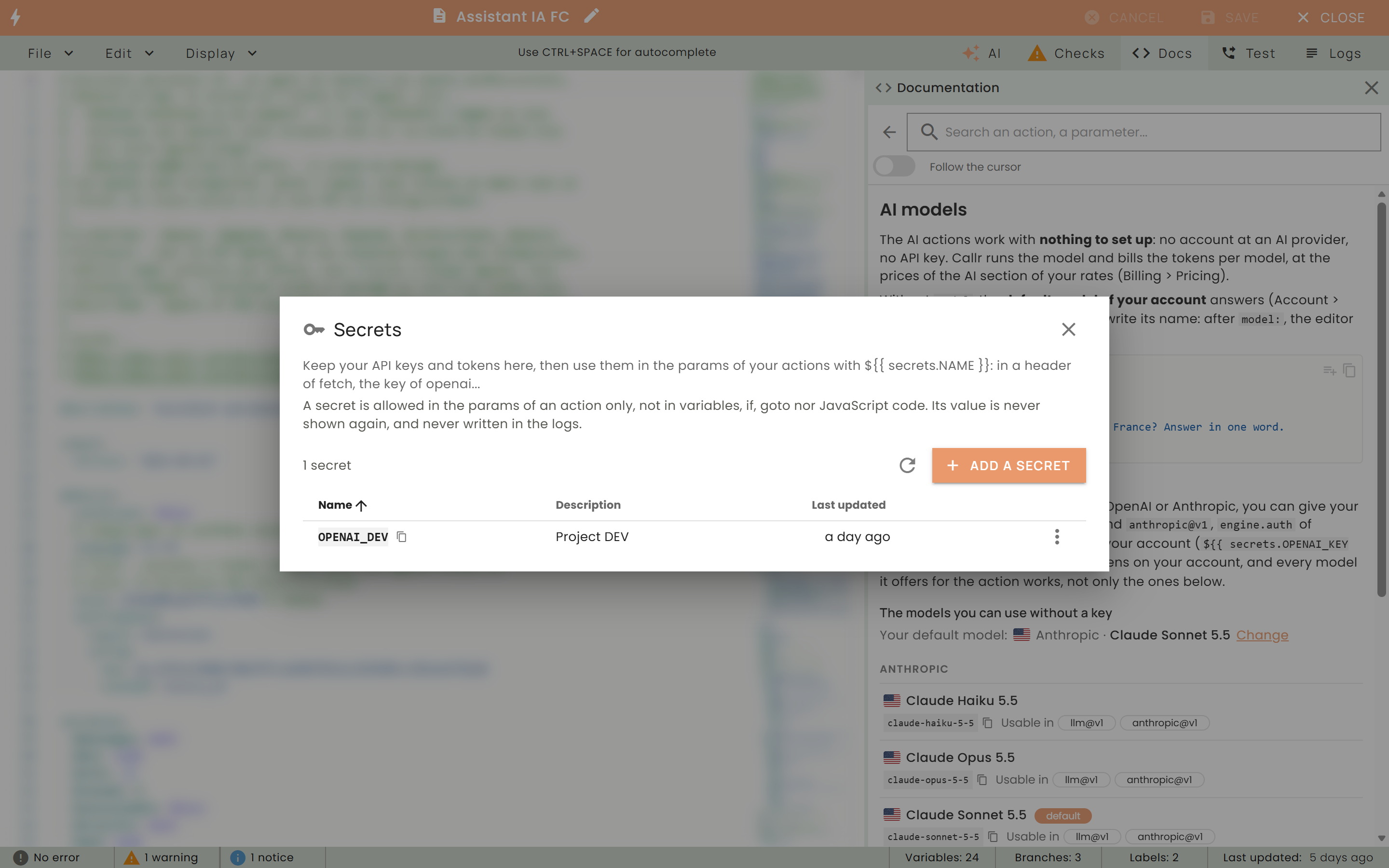
- Keep your keys out of your scenarios. Save an API key or a token once in your account, then use it by its name:
${{ secrets.NAME }}. Manage them with the Secrets button of the Actions page, or Edit > Secrets in the editor; aftersecrets.the editor completes the names. - Where they work. In the
paramsof an action (a header offetch, thesecretofopenai@v4...) and indefaults.textToSpeech.config(the key of your ElevenLabs or Azure engine). A secret anywhere else (variables,if,goto, JavaScript code) is an error of the checks,SECRET_NOT_ALLOWED_HERE. - Never shown, never logged. A value is never shown again once saved, and it is masked in the logs of your scenarios.
- A warning for keys written in clear. A key or a token written in the scenario itself is reported by a warning,
CREDENTIAL_NOT_IN_SECRETS.
- action: fetch@v3
  params:
    url: https://crm.example.com/api/contacts
    headers:
      Authorization: Bearer ${{ secrets.CRM_TOKEN }}
  result: $contact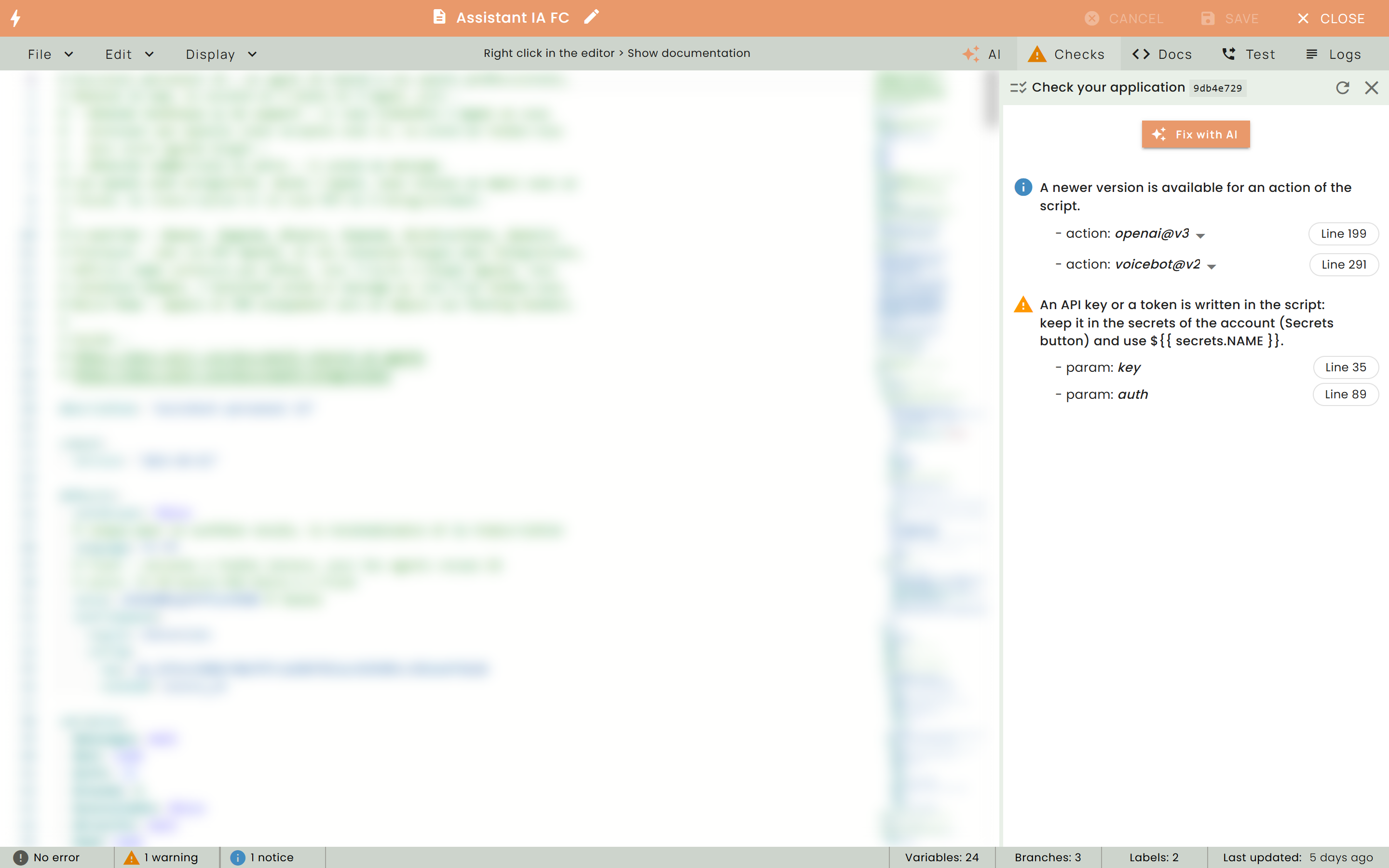
Templates on the latest versions
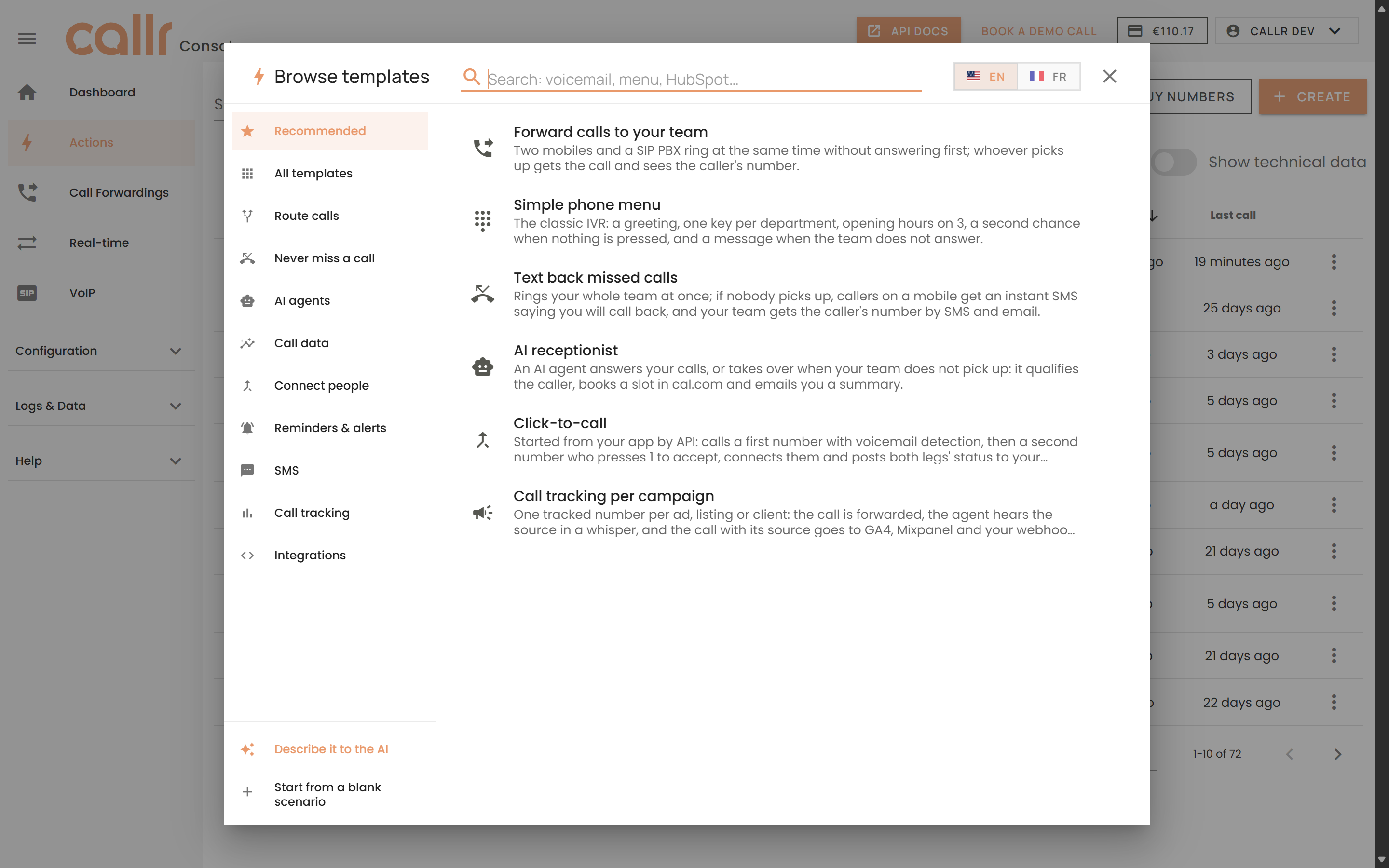
The 35 templates of the Console (in English and in French) use llm@v1 and voicebot@v3 with no API key, and the keys of other services (cal.com, Google Analytics, Mixpanel, ElevenLabs, your webhooks) as secrets, listed in the header of each template. The template pages and the guides (Multi-Channel AI Agents, Extract Call Data with AI, Record and Transcribe Calls) are up to date.
Also in the editor
- Run log. The log of a run is redone: the steps grouped by branch with their status, condition and duration, and for the selected step its parameters with their resolved values, its result and the variables it changed.
- Pricing in the docs. The Pricing section of the AI actions shows the tokens billed by Callr with the rates of your default model.
See llm@v1, anthropic@v1, openai@v4, voicebot@v3 and the Language Reference.