

Added
Callr Actions: a Visual view of your scenarios, Apply and save, and a new editor
about 2 hours ago by Florent CHAUVEAU
The Callr Actions editor now shows your scenario as a flow you can read without knowing YAML. Ask the AI for a change, review it step by step, and apply it: it is saved at once.
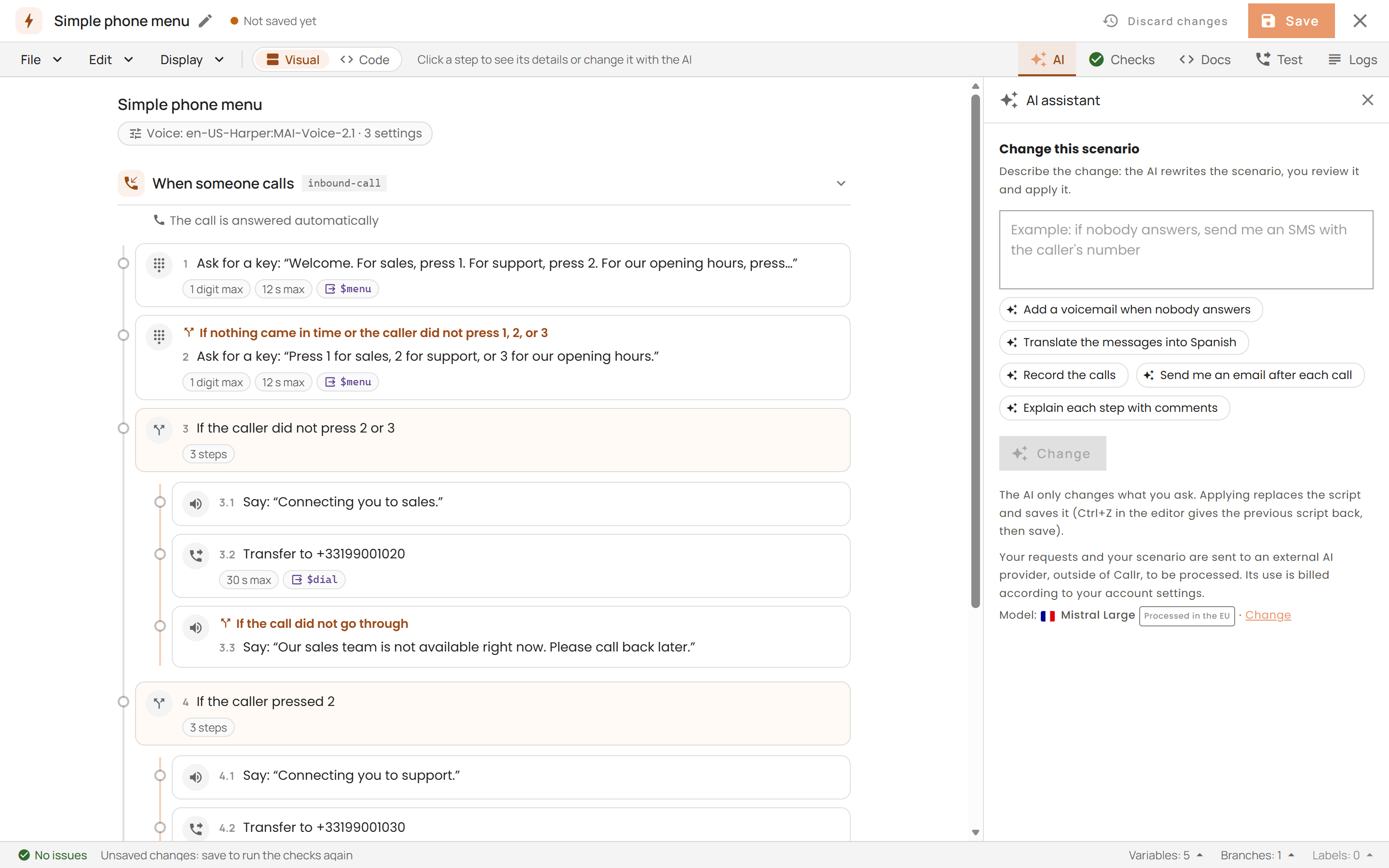
The Visual view
- Your scenario as a flow. The editor opens on a Visual view of the scenario; Code shows the YAML. The editor remembers your choice.
- One sentence per step. Each branch is a section (When someone calls, When someone sends an SMS, a branch of your own), and each step is a card with a sentence in plain language: Ask for a key: "Welcome…", Transfer to +33199001020, If the call did not go through.
- The whole logic. Conditions, nested
thenblocks,postHangupsteps and the steps run when a recording is ready keep their place in the flow. Agotois a link to its target, and a loop is marked as one. - The details of a step. Click a step to see its parameters, the variable that keeps its result with its fields, its documentation, and the problems found by the checks with their fixes. Change with the AI prefills the AI panel with that step; Show in the code selects its lines in the YAML.
- Read-only. A change goes through the AI or the code. While the YAML cannot be read, the last readable flow stays on screen under a banner with Fix with AI.
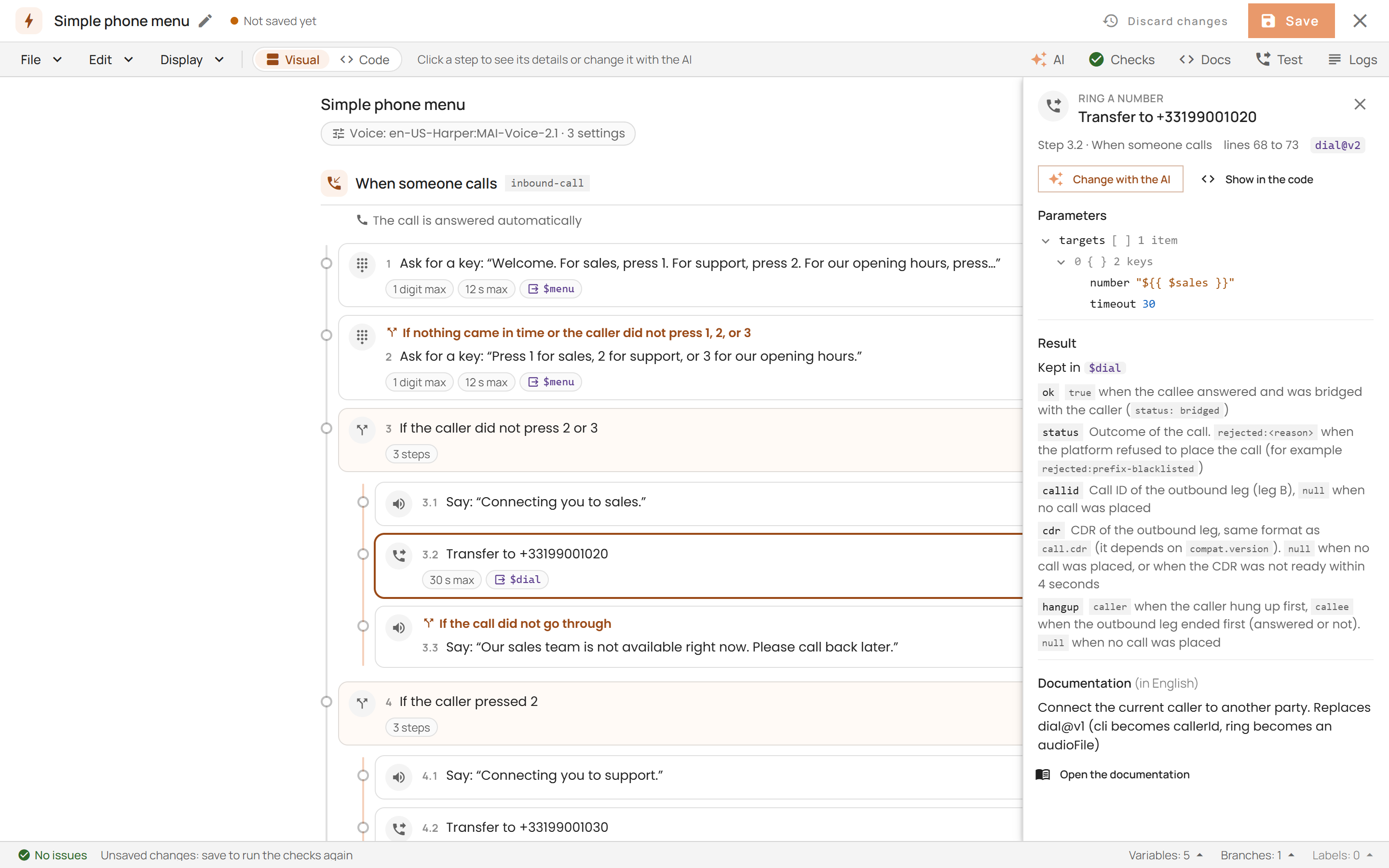
Review the changes of the AI, then Apply and save
- Step by step. A change proposed by the AI panel is shown in the Visual view: each added, changed or removed step is marked, with the counts and the changed settings above the flow. The YAML diff is one click away.
- Apply and save. Apply and save replaces the scenario and saves it. To go back, press Ctrl+Z (⌘Z on macOS) in the editor, then save.
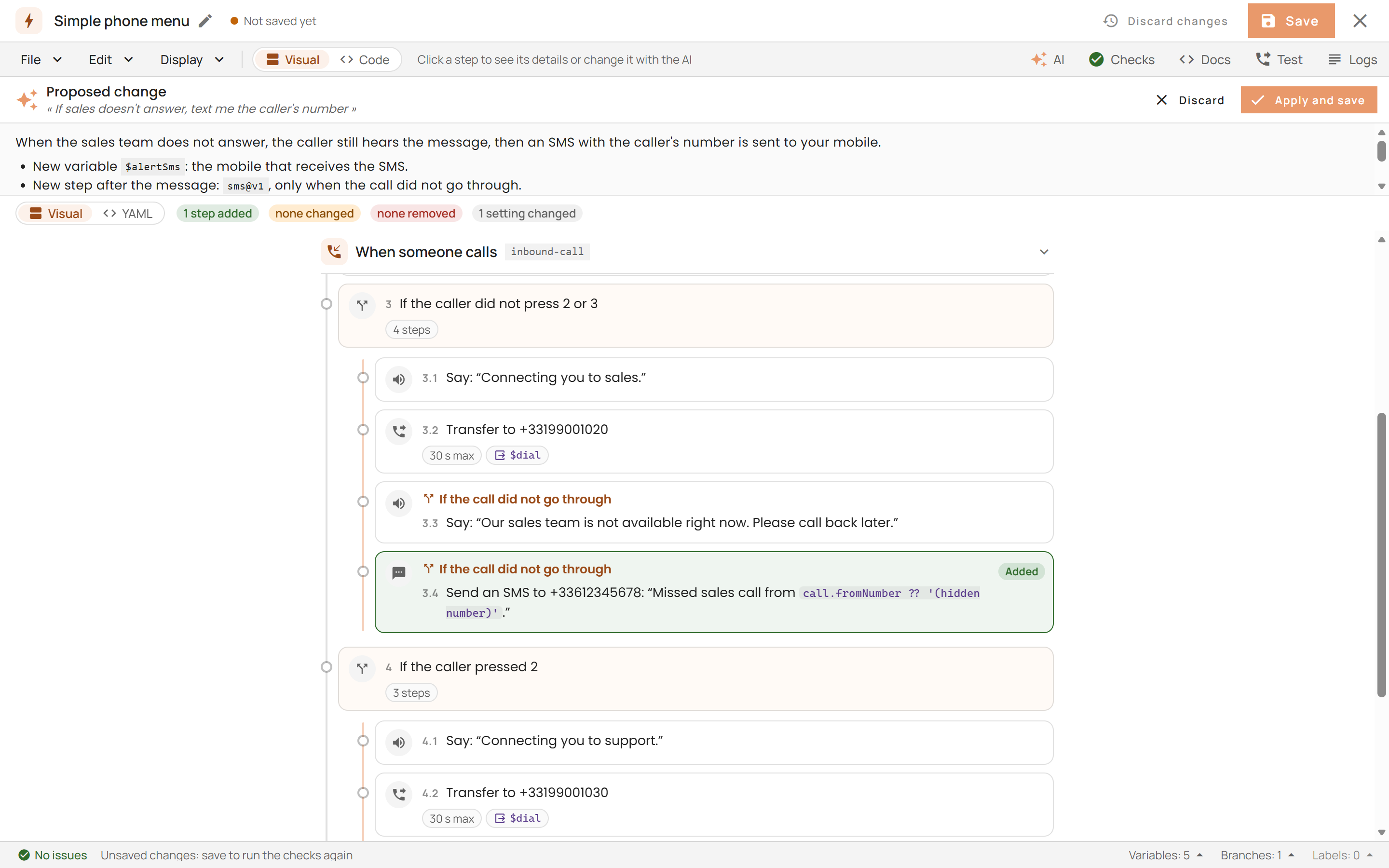
Templates
The preview of a template in the gallery shows its flow in Visual, or its YAML.
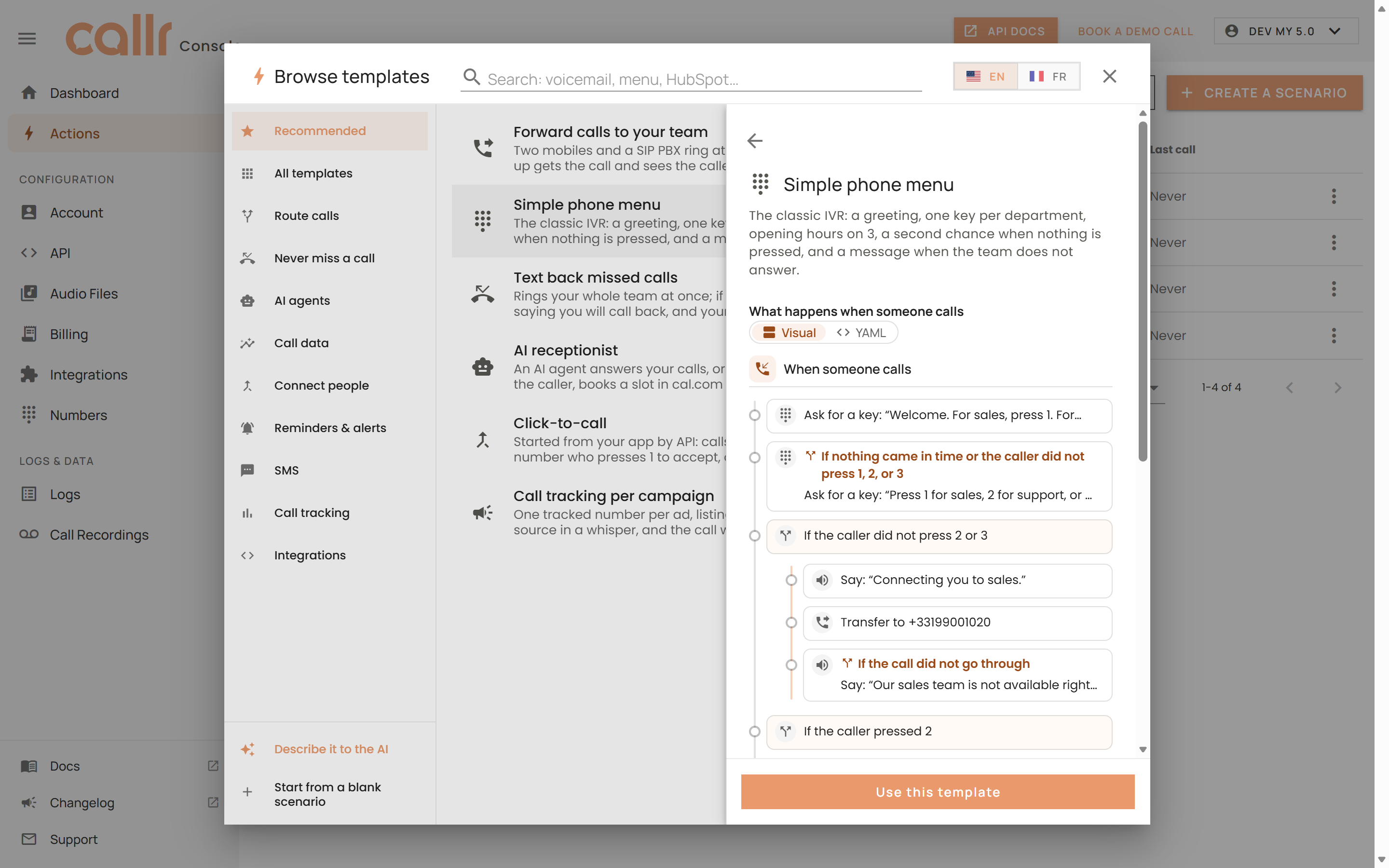
A new editor
- A lighter title bar. The save state is next to the name. Discard changes puts the saved version back in one step that Ctrl+Z undoes.
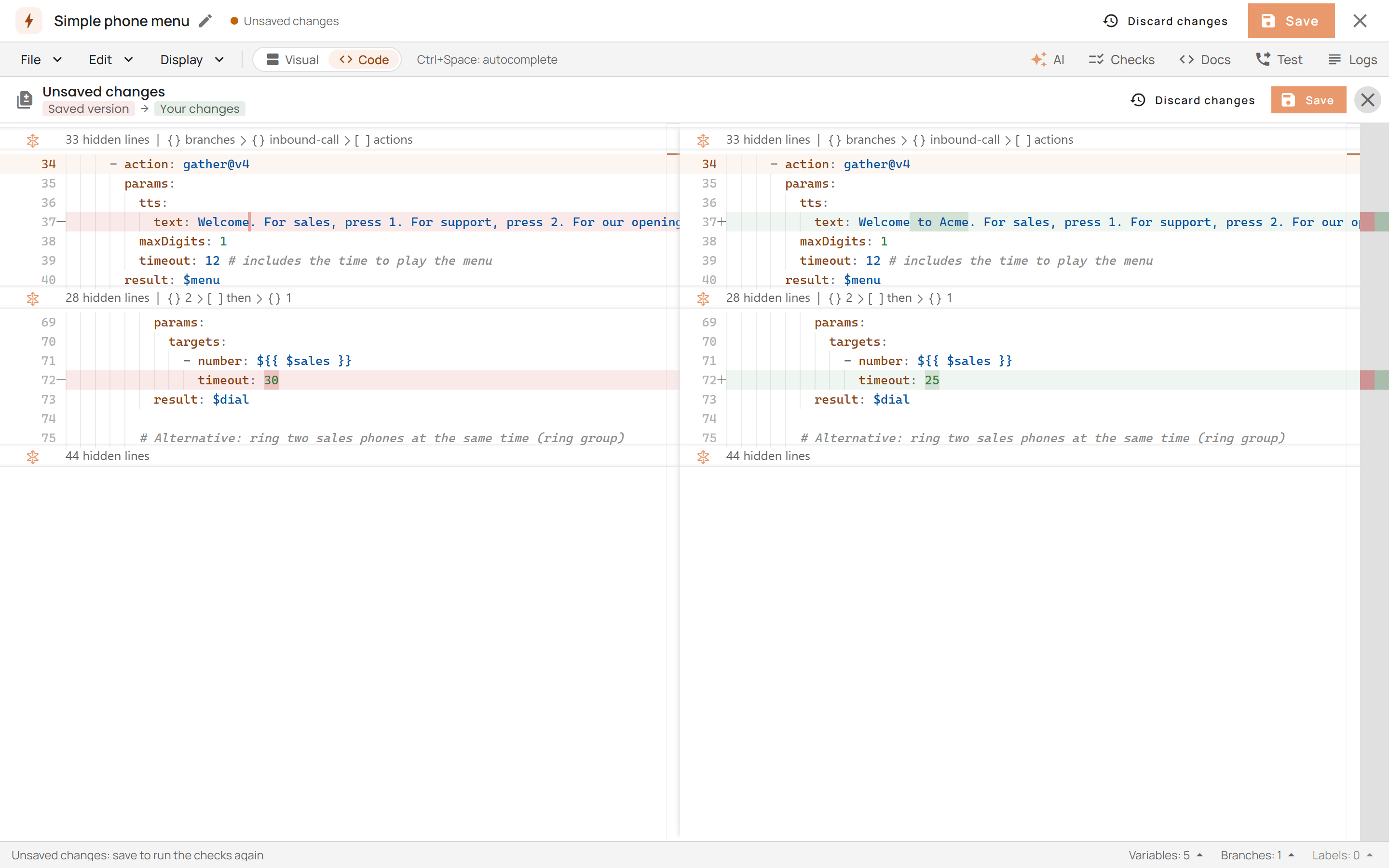
- Compare and drafts. Display > Compare shows your unsaved changes side by side with the saved version. Unsaved changes are also kept in your browser for 7 days and offered again when you open the scenario.
- Checks. The Checks panel lists the problems by severity, with a Fix button for the ones that can be fixed. The problems are also underlined in the code, with the same quick fixes. A "newer version available" notice now switches the action straight to its latest version.
- Compatibility version.
compat.version: 2024-04-01now raises a warning (DEPRECATED_COMPAT_VERSION) that Fix updates. An unknown version is an error (INVALID_COMPAT_VERSION). - Easier to read. The code uses Cascadia Code, with a light and a dark theme.
- Docs panel. A search shows the parameters that match and opens the page on the one you click.
See the Language Reference and the templates.